Yerevan, 16.February.2026,
00
:
00
ՄԵՆՅՈՒ
Futsal tournament Galaxy Champions League 2024 kicks off Unibank is now a regular partner of “Pan-Armenian intellectual movement” IDBank issued another tranche of dollar bonds Green Iphone on the best credit terms at green operator's stores UCOM Provided technical assistance to Shengavit administrative district AMD 9,808,684 to the "City of Smile" Charitable Foundation. The next beneficiary of "The Power of One Dram" is known Unibank offers a “Special” business loan with an interest rate of 8.5% per annum IDBank implements the next issue of nominal coupon bonds Flyone Armenia will start operating regular direct flights Yerevan-Moscow-Yerevan New movie channels in Ucom and good news for unity tariff subscribers


13 զարմանալի բան, որ կարող եք անել Ձեր iPhone-ով. Դուք շատ կուրախանաք
Lifestyle

Blognews.am-ը գրում է.

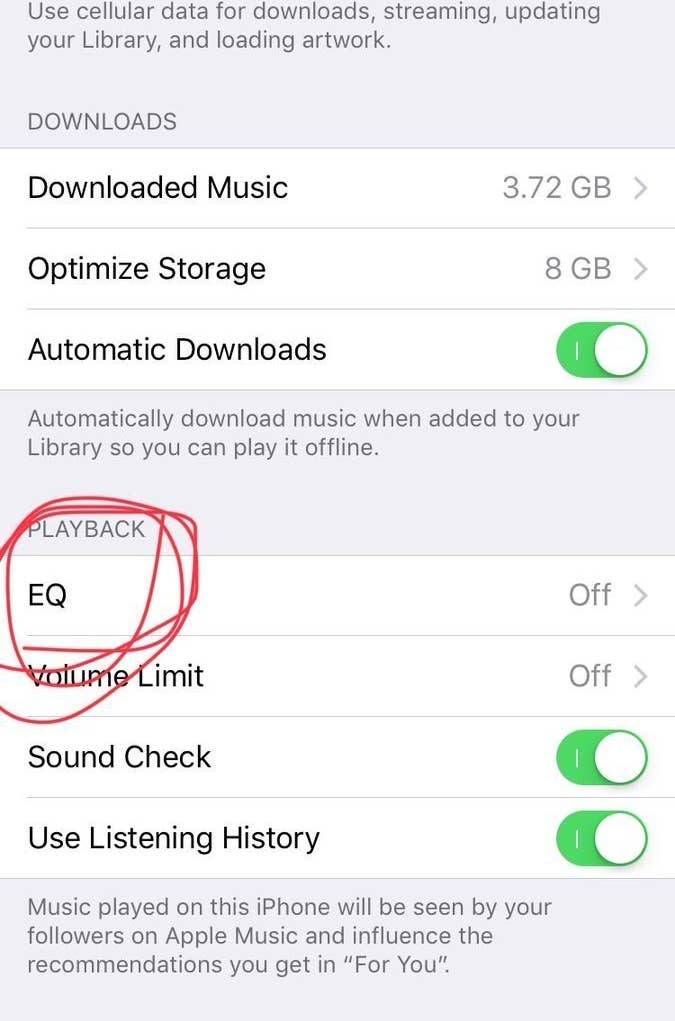
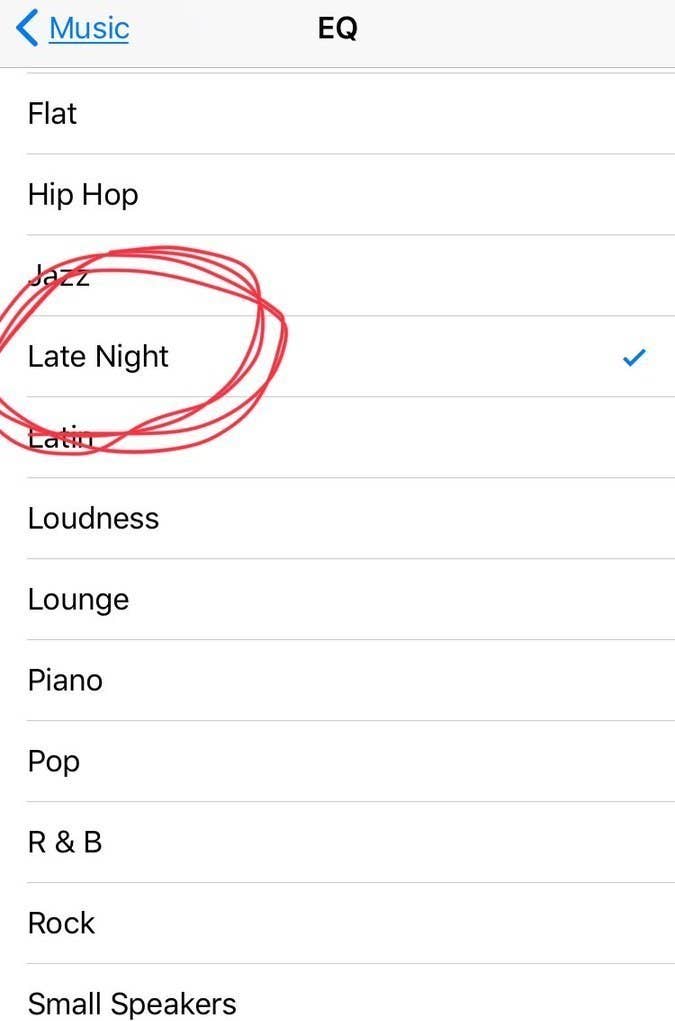
Բարձրացնել բարձրախոսի ձայնը
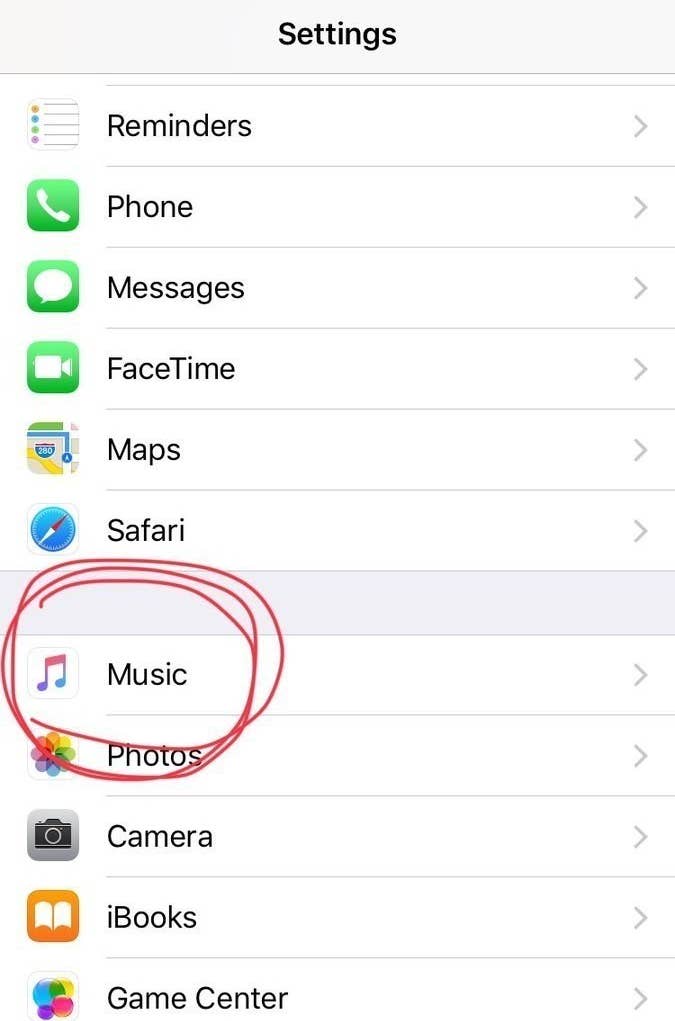
Settings > Music > EQ > “Late Night”.

Սա մի փոքր կբարձրացնի բարձրախոսի ձայնը։ Փորձեք լսել որևէ երգ ու կհամոզվեք ինքներդ։

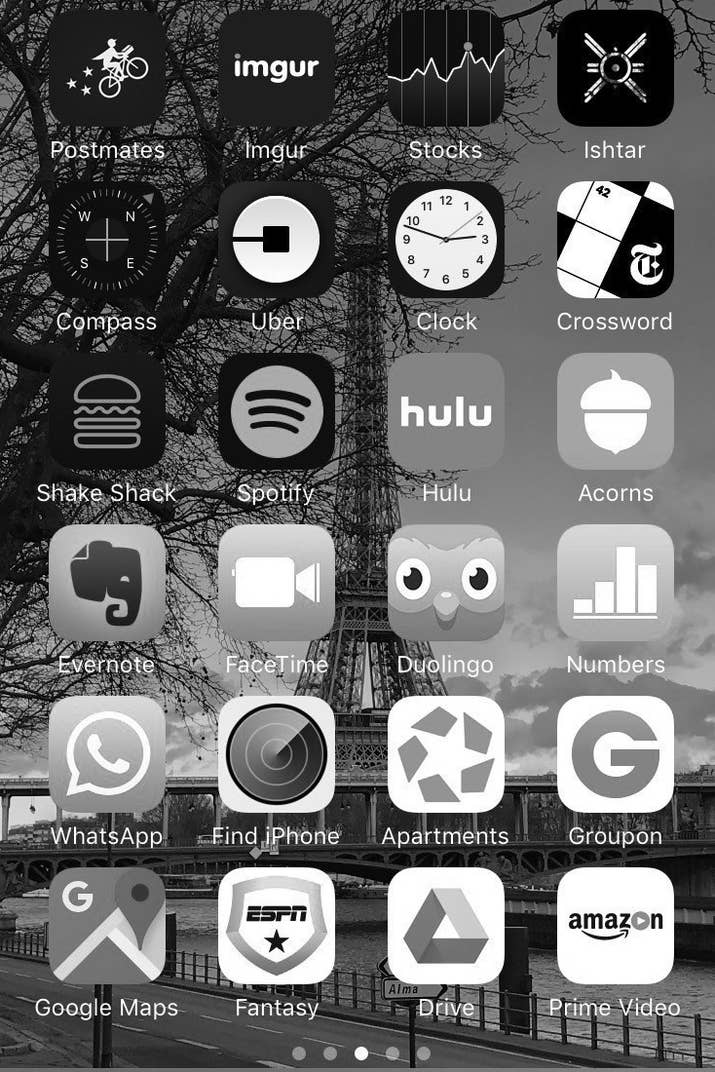
Էկրանը դարձնել մոխրագույն
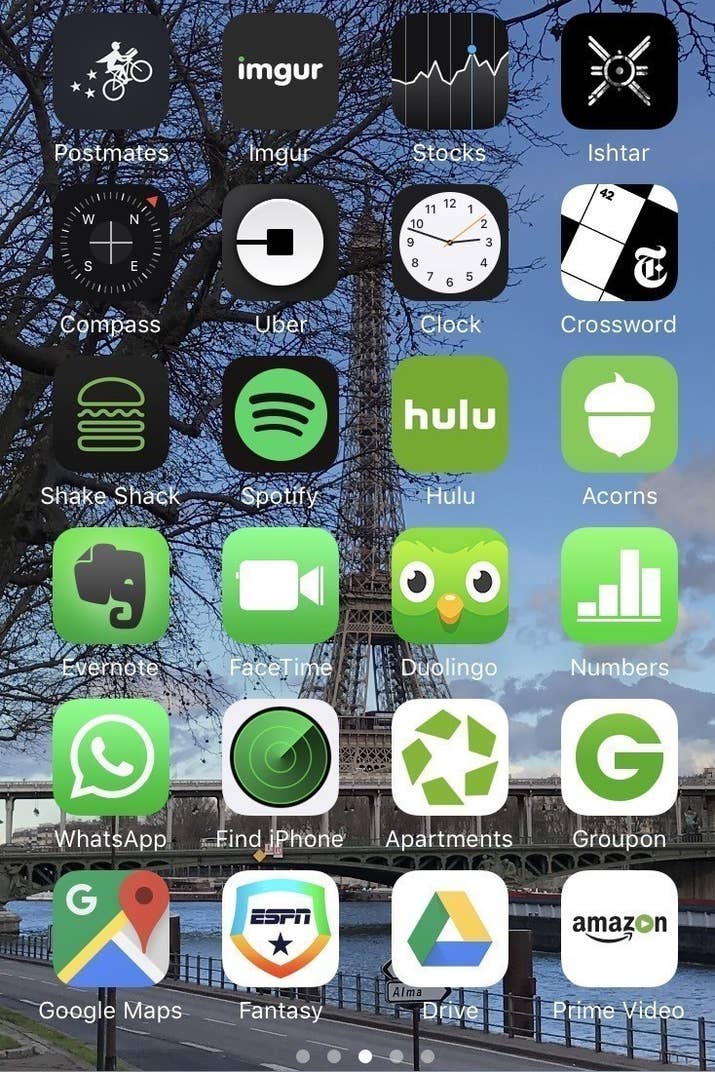
Այս հնարավորությունն այն մարդկանց համար է, ովքեր գունակուրության պատճառով չեն կարող տեսնել էկրանին որոշ օբյեկտներ, սակայն որոշ մարդիկ պնդում են, որ այս ֆունկցիան նպաստում է այն բանին, որ մարդիկ կախվածություն ձեռք չբերեն հեռախոսից։

Պետք է կատարեք հետևյալ քայլերը. Settings > General > Accessibility > Display Accommodations > Color Filters.

Փնտրել նկար՝ ըստ դրանում պատկերված առարկաների
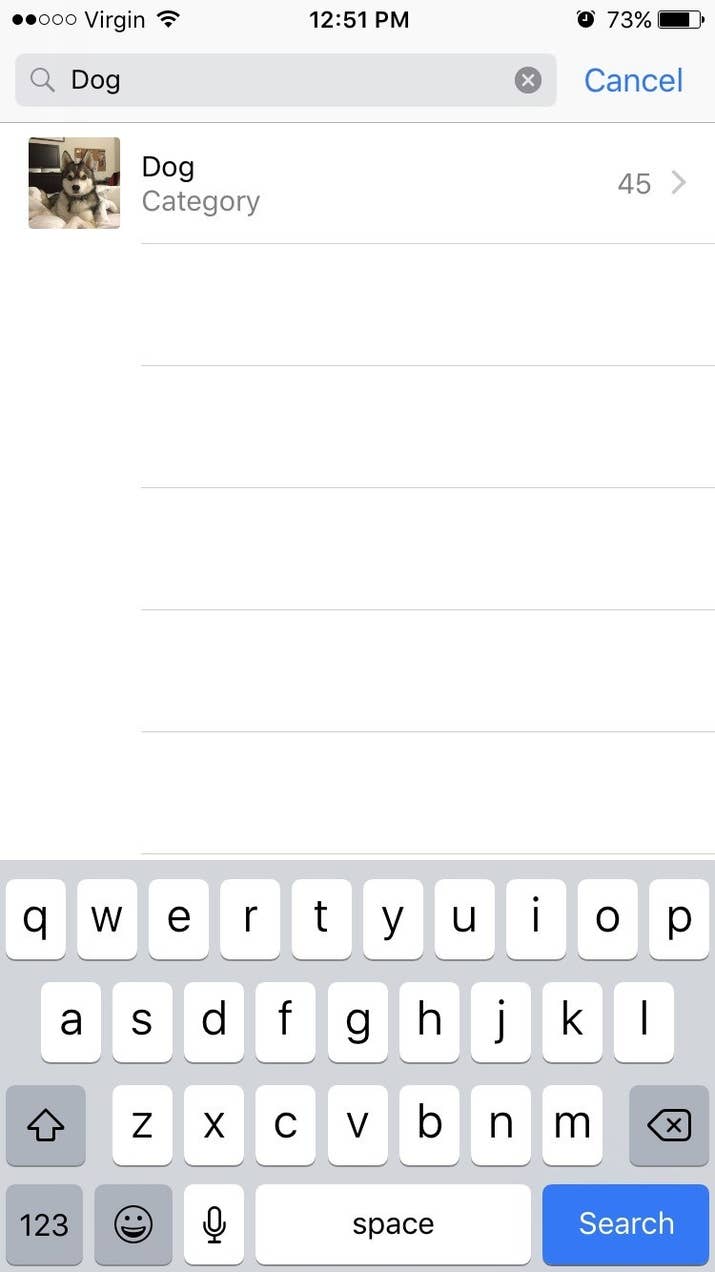
Լուսանկարների բաժնում՝ վերևի մասում, կտեսնեք search նշանը, որը թույլ է տալիս փնտրել նկար՝ պարզապես գրելով այն առարկայի կամ մարդու անունը, ով կա նկարում։ Փորձեք, սա կարծես կախարդանք լինի։

Ընտրել լապտերի պայծառությունը
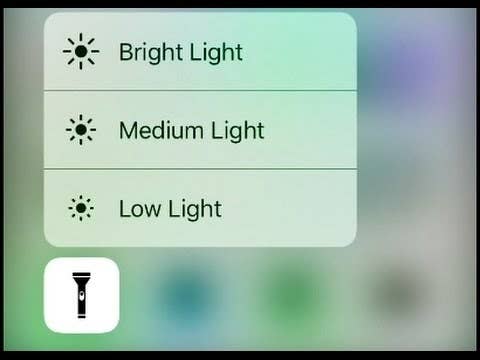
Ձեր հեռախոսի լապտերը չափազանց վառ լույս ունի, բայց եթե մատը սեղմած պահեք լապտերի նշանի վրա, կկարողանաք փոխել պայծառությունը։ Սա հատկապես պետք է գալիս գիշերը, երբ զարթնում եք որևէ բան վերցնելու, բայց չեք ուզում արթնացնել մարդկանց։

Պարամետրերի բաժնից օգտվել միանգամից կարևորագույն ֆունկցիաներից
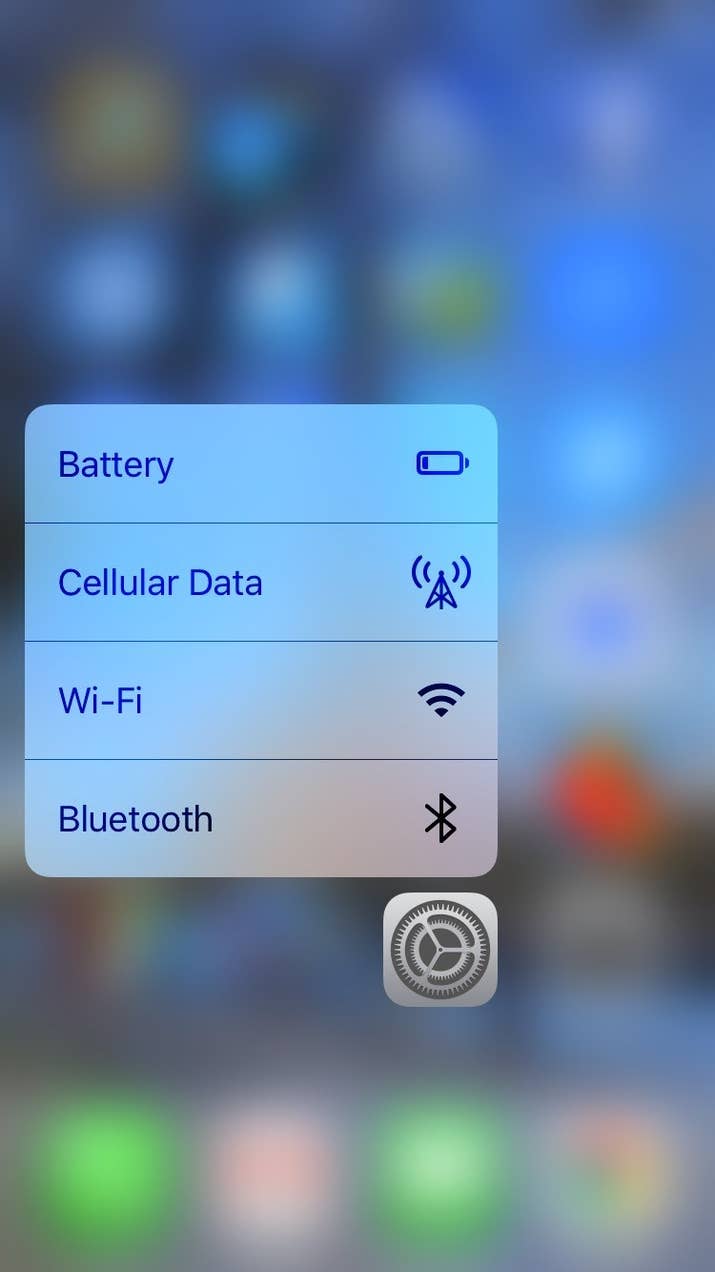
Եթե Դուք օգտագործում եք iPhone 6s կամ հետագա տարբերակներ, ուրեմն՝ կարող եք մի փոքր պինդ սեղմած պահել Settings նշանի վրա, որպեսզի ստանաք 4 կարևորագույն մենյուները՝ Battery, Cellular Data, Wi-Fi և Bluetooth:

 Սահմանափակել երաժշտության զբաղեցրած հիշողությունը՝ ավտոմատ կերպով ջնջելով երգերը, որոնք այլևս չեք լսում
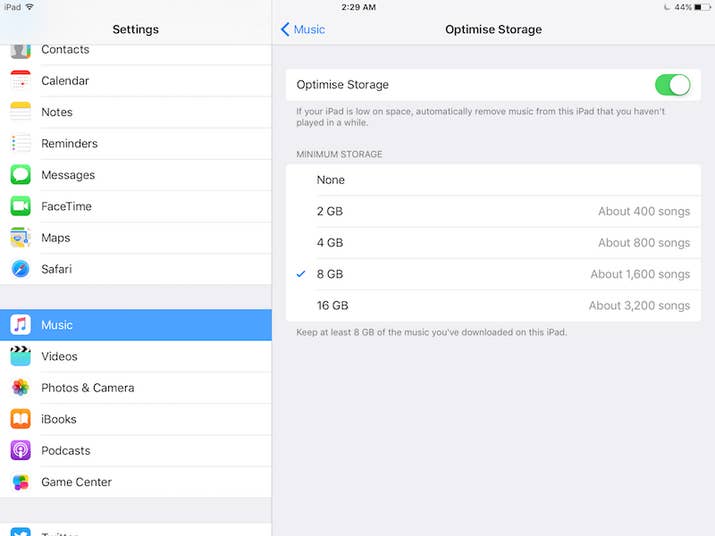
Գնացեք պարամետրերի՝ Settings բաժին, այնուհետև ընտրեք Music բաժինը և ընտրեք հիշողության չափը, որ ուզում եք երգերը զբաղեցնեն։ Դրանից հետո երգերի ծրագիրը կսկսի ավտոմատ ջնջել այն երգերը, որոնք երկար ժամանակ չեք լսել։

Պարզել՝ որտեղ եք կայանել մեքենան
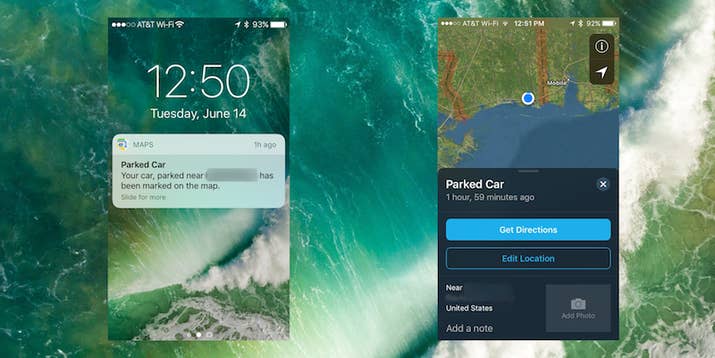
Քարտեզների Maps ծրագիրը հիմա ունի հնարավորություն՝ հիշելու, թե որտեղ եք կայանել Ձեր մեքենան, եթե Ձեր մեքենան ունի Bluetooth ու այն միացրել եք Ձեր հեռախոսին։

Օգտագործել հեռախոսը՝ նկար կախելու համար

Միացրեք Compass ծրագիրը, սահեցրեք ձախ կողմ ու կկարողանաք օգտագործել Ձեր հեռախոսը՝ հասկանալու համար, թե որ ուղղությամբ կախեք նկարը, որպեսզի ուղիղ լինի։

Ինչ-որ բան հաշվելիս ջնջել ընդամենը մեկ թիվ

Շատ մարդիկ ընդամենը մեկ սխալ անելիս պարզապես ջնջում են ամբողջն ու սկսում նորից անել հաշվարկը, սակայն Calculator ծրագիրը հնարավորություն է տալիս ջնջելու ընդամենը սխալ արվածը։ Պարզապես պետք է սահեցնել մատը այն կողմ, որ թիվը ուզում եք ջնջել։

Հեռախոսը unlock անել՝ առանց մեջտեղի կոճակը սեղմելու
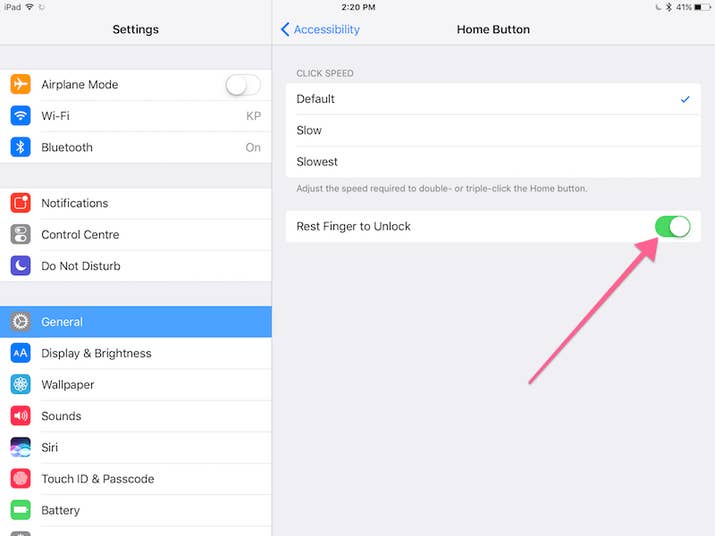
Settings > General > Accessibility > Home Button ու միացրեք “Rest Finger to Unlock” ռեժիմը։

Սարքել իմոջիների Ձեր շորթքաթները
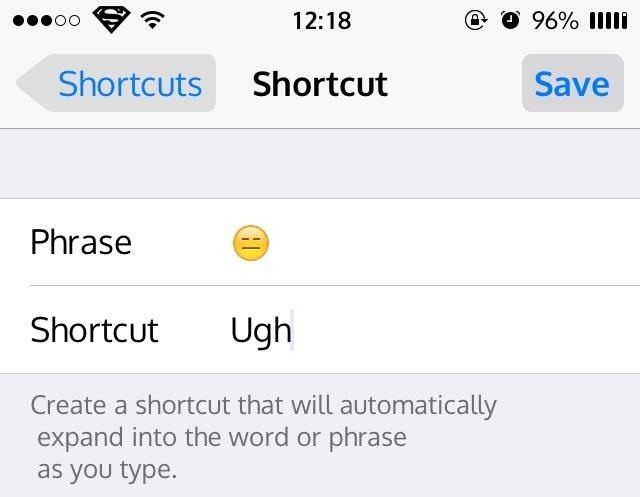
IOS-ի վերջին տարբերակներով հաղորդագրություններ գրելիս կարելի է պարզապես գրել որևէ բան ու ստանալ համապատասխան իմոջին։ Պարզապես գնացեք Settings > General > Keyboard > Text Replacement:

Սա կարող եք օգտագործել նաև հետևյալ կերպ. օրինակ՝ գրեք @@, ու Ձեր հեռախոսը կբերի Ձեր ամբողջական e-mail-ը։

Ուղարկել հաղորդագրություններ՝ տարբեր էֆեկտներով

Եթե սեղմած պահեք ուղարկելու Send կոճակի վրա, ապա կստանաք էֆեկտների մեծ ընտրություն։

Թափահարեք հեռախոսը՝ տեքստ հավաքելիս վերջին գործողությունը չեղարկելու համար

Եթե ինչ-որ տեքստ հավաքելիս մի բան խառնել եք, պատահաբար ջնջել եք գրածը կամ էլ պարզապես փոշմանեցիք ու ուզում եք ջնջել տեքստը, կարող եք թափահարել հեռախոսը՝ Undo Typing ֆունկցիան ստանալու համար։

Team Holding Announces the Launch of the Second Tranche of Its USD Bond Placement. Underwriter - Freedom Broker ArmeniaUcom Services Can Now Be Paid Via Fast Shift Team and the French University in Armenia Help 120 Students Gain Real-World ExperienceUcom Offers Comprehensive Internal Network (LAN) Building Services for Corporate Clients Unibank Became an A-Level Member of the Armenia British Business Chamber Winter adventures continue at Myler: Idram&IDBankWith the Support of AraratBank, KardaLove 5th Anniversary Festival Returns in a New FormatThe Power of One Dram — to Mathemik NGOIDBank’s Nor Nork branch has reopenedOn the impossibility of making payments via Idram for telecommunication operators’ services and the current situationWhen CSR Becomes a Driving Force for Business Development: Lala Bakhshetsyan Five-Year Partnership Between AraratBank and 4090 Charity Foundation Comes to Successful Close Idram and Weixin Pay (WeChat Pay) Launch Strategic Partnership in ArmeniaThe Winners of the Third Round of the Junius Competition Have Been AnnouncedWhat to gift men on January 28: Idram&IDBankIdram Conducted a Financial Literacy Class for Roboton ParticipantsRegarding Payments for Viva Armenia Services via IdramVahe Hakobyan Is a Political Prisoner: Past.amUp to 2% Cashback with IDBank Mastercard and ARCA CardUp to 2% cashback, free Mastercard and free ArCa card when you join IDSalaryAraratBank Sums Up “You Choose the Destination” Campaign Implemented in Partnership with MastercardBook by March 31 and get 15% off your FINTECH360 ticket Ucom Launches Fixed Network Services in Zovuni The FINTECH360 conference will be held in Yerevan from April 27 to 29 AraratBank Partners as General Sponsor of 4090 Charity Foundation's Five-Year Milestone EventAraratBank Takes the Lead in Brand PR Performance Unforgettable Moments and a Profitable Offer at Myler. Idram&IDBank Idram Summarizes 2025The Power of One Dram Donates 5,788,105 AMD to the City of Smile Charity Foundation Converse Bank Successfully Completes Globbing Bond Placement Why the Pressure on Vahe Hakobyan Continues Ucom Introduces Hecttor AI to Improve Call Center Communications The Armenian Apostolic Church: Refutation of a False Premise Vahe Hakobyan Is Being Politically PersecutedIdram employees are the Secret Santa Claus for the students of the Orran Day Care CenterAraratBank Donates AMD 8 million to the Reconstruction of the Spandaryan CanalUnibank Launches Gift Cards New Education Platforms through Cooperation between AraratBank and Aren Mehrabyan FoundationTech Innovator and Winemaker Adam Kablanian Joins the Board of Trustees of the “Music for Future” FoundationUcom Reopens Sales and Service Center on Tigran Mets Avenue AraratBank Receives Visa Trusted Partnership Award 2025 Secret Santa at idplus: Anonymous Gift CardsWe condemn the unlawful actions by Armenia’s Gov. against the Armenian Apostolic Church. Jan Figel Free Style issues Armenia’s first corporate bonds in the fashion retail sector, placed by Cube InvestUnibank Completed the Placement of Its Third Issuance of Perpetual BondsScholarship for 100 Artsakh Students as Part of IDBank’s “Side by Side” Program The results of the second Junius financial literacy competition have been summarized From idea to implementation: Ameriabank Presents the Programs Implemented under My Ameria, My Armenia CSR Campaign Ucom and SunChild Launch the “Smart Birdwatching” Educational Program AraratBank Supports Digitization of "Karin" Scientific Center Archive